From the bench to Canvas
$5 a term, not a $40 lab book.
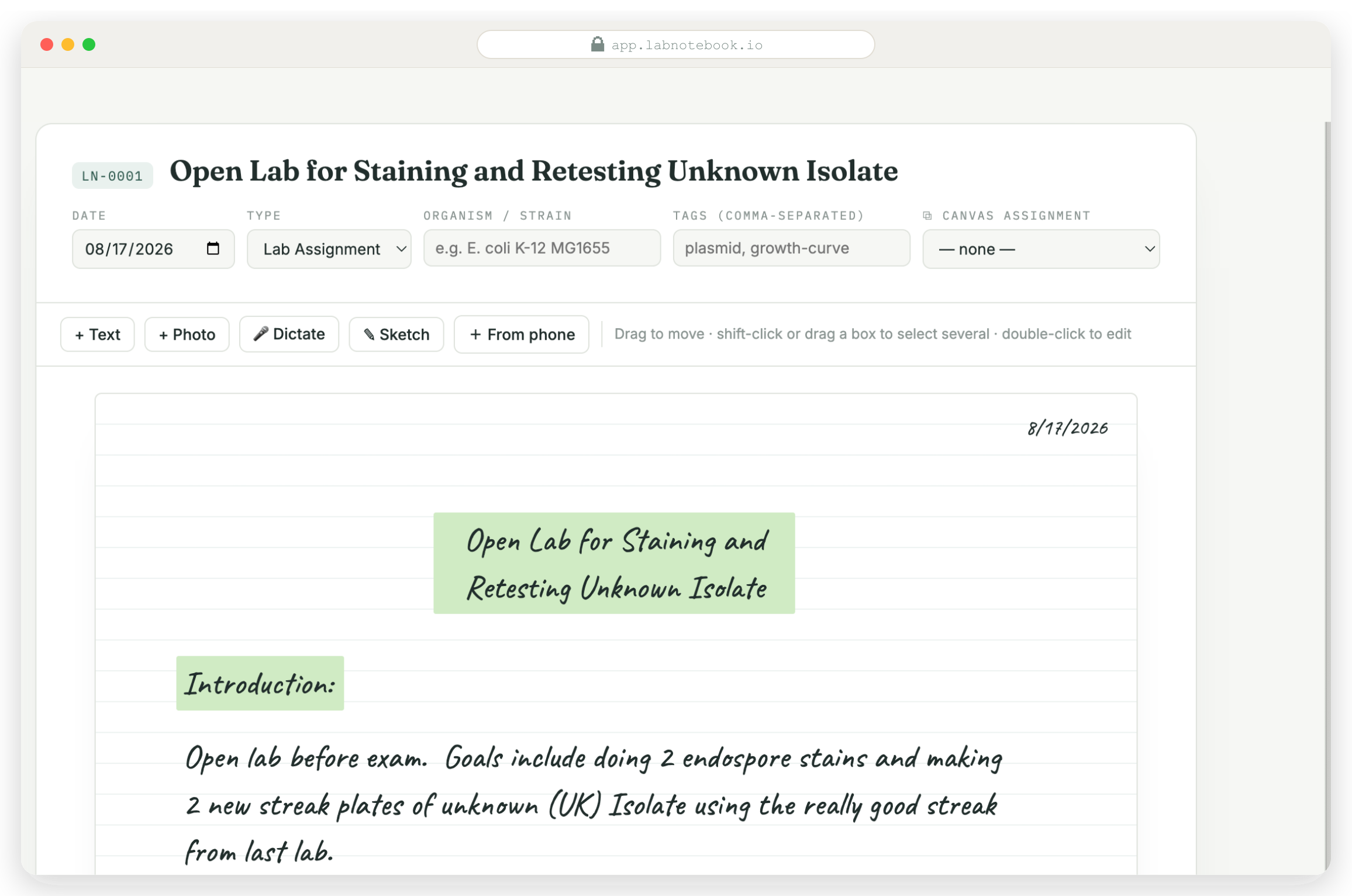
The digital lab notebook for college science courses. Text, phone photos, sketches, dictation — arranged freely, submitted to Canvas as a PDF, graded in SpeedGrader.
Want to poke around first? Demo mode — coming soon
Students
Buy it yourself. Use it today.
$5 for the whole term — cheaper than one paper book. Email signup, one checkout, connect Canvas when you're ready to submit.
Get startedSchools & departments
License it — every student free.
Flat institutional license: your own subdomain, Canvas SSO, least-privilege access. Rollout takes an afternoon.
Talk to us →The page works the way lab work actually happens.
txt
Type it
Procedures, observations, calculations — anywhere on a free-form page.
img
Snap it
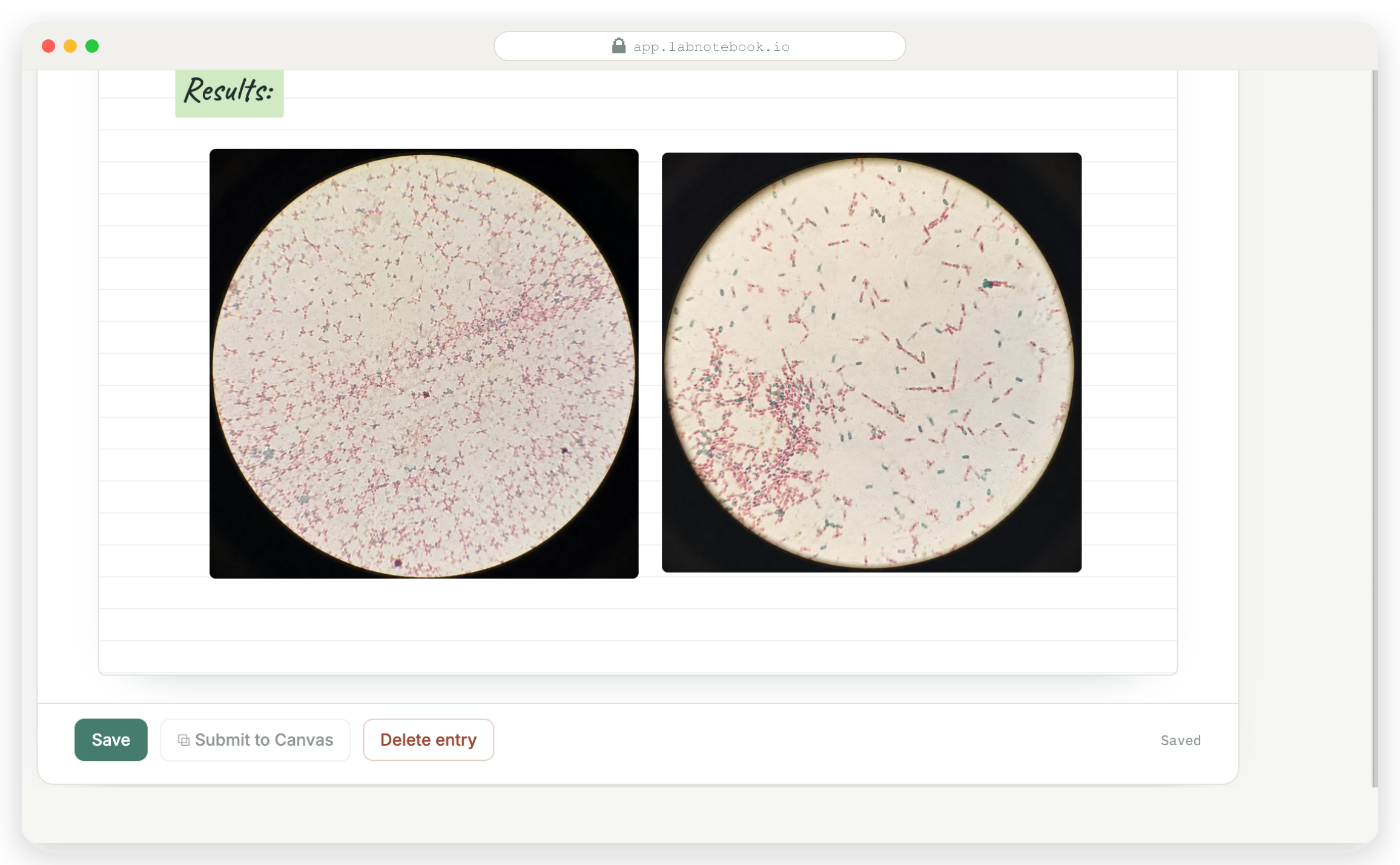
Phone photos of the setup, the gel, the color change — straight onto the page.
ink
Sketch it
Freehand diagrams and apparatus drawings, finger or stylus.
mic
Say it
Gloves on? Dictate observations and clean them up later.
Bench → notebook → Canvas.
01
Capture however the lab goes
Scratch-pad notes, phone photos, quick sketches — collect it all in the moment, mess and all.
02
Write it up, hit submit
After class, pull everything onto one clean page — then it becomes a PDF and files itself to the right Canvas assignment.
03
Graded in SpeedGrader
Professors grade where they already grade. Nothing new to learn.
For professors & TAs
Grade where you already grade.
Entries arrive as PDFs in your existing Canvas assignments. Open SpeedGrader, grade as usual. See any student's full notebook whenever you need the history.
Built by a professor who grades a stack of these every week.
Canvas & privacy
Least-privilege by design.
Seven scopes, read & submit only. It can list a student's courses and assignments and submit their own work. That's it.
No grade access. Grades are never read, written, or stored. Grading stays entirely inside SpeedGrader.
One-click SSO for schools. Institutional licenses get a dedicated subdomain with Canvas SSO — no new passwords.
Security questions? hello@labnotebook.io — we'll walk your IT team through the scope list.
canvas_scopes (6 of 6):
✓ read courses
✓ read assignments
✓ read enrollments (own)
✓ read profile (own)
✓ create submission (own)
✓ read submission status (own)
✗ grades — never requested
Paper, ELN, or this.
Students
$5 / term
Everything. One flat payment, self-serve, works on your phone. Connect Canvas to submit.
Get startedSchools
Flat license
Every student free. Your own subdomain, Canvas SSO, priority support. Custom quote.
Talk to us →Questions professors ask.
Do students need the school to adopt it?
No. Any student can buy it for $5 and submit to any Canvas course they're enrolled in.
What does Canvas access look like?
Seven least-privilege scopes: read courses, assignments & assignment groups, submit the student's own work. No grade access, ever.
What changes for the professor?
Nothing. Entries arrive as PDFs in existing assignments and are graded in SpeedGrader.
What does a school license include?
A dedicated subdomain (school.labnotebook.io), Canvas SSO, and every student free — flat pricing.
A public service announcement
Friends don't let friends buy $40 lab notebooks.
Someone on your bench is about to spend $40 at the bookstore. Send them a text — it takes ten seconds and saves them $35.
on your phone · nothing sends
until you hit send
on a laptop? scan →
opens Messages, text ready
$5 a term. That's the pitch.
Schools: flat license, every student free, Canvas SSO.